A BUYER’S GUIDE · SITEKIN STUDIO
Does your Shopify fashion store need a new theme or a full redesign?
If shoppers can find the right garment but can’t choose a size on mobile, start with the product page. If they can’t find the garment at all, the problem starts earlier. Here’s how to tell the difference before asking for quotes.
THE PHONE TEST
Follow one piece all the way to the bag.
Pick an outfit from a current campaign. Give someone who didn’t build the store this task: find that piece from the collection, choose a specific colour and size, and check that the bag contains the right one. Start again with a size that’s sold out. Ask them to point out the first moment they have to guess. Don’t explain the navigation while they try it.
Save the page URL, the size or colour they chose, and what appeared instead of what they expected. If your customer-service messages or store data show the same problem, keep that evidence with the note. A single walkthrough identifies something to test; it doesn’t establish why sales changed.
THREE POSSIBLE SCOPES
Choose the smallest change that solves the problem.
- Fix the existing theme
- The shopper finds the garment and understands the product, but misses the size chart, can’t tell that a size has sold out, or loses the selected colour when opening another photo. Start with that product template or component. Write a pass condition: “After I choose blue in size M, the bag shows blue, M.”
- Try a different theme
- Your collections and product data already work, but the editorial team needs a developer every time it launches a lookbook. Before buying a theme, ask the person who uploads collections to build a real campaign page in its preview. Can they crop images for mobile, link the right garments and change their order unaided?
- Scope a wider redesign
- The shopper can’t get from a campaign image to the piece, collection names make sense only inside your team, and product pages don’t explain fit or availability. A new theme alone leaves those decisions unresolved. Get a proposal that covers collection structure, content responsibilities and the purchase journey as well as layout.
BEFORE YOU SWITCH
Separate the theme from the catalogue.
Shopify keeps products, collections and menus in the admin when you switch themes. That doesn’t tell you whether the new product page shows the right size chart, or whether your review widget still appears. Ask to see those on a draft theme, using real products, before agreeing to publish. Shopify explains what carries across when you switch themes.
Test three products: one with several sizes, one with a sold-out option, and one with a special rule such as made-to-order delivery. Keep a list of campaign or search landing URLs that need to keep working. If the redesign also changes any URLs, agree who will map and test redirects. If you offer UPI or cash on delivery, include the relevant checkout checks in the launch plan; a product-page preview doesn’t test payment.
FROM OUR WORK · SAMANT CHAUHAN
Keep the collection story without hiding the product.
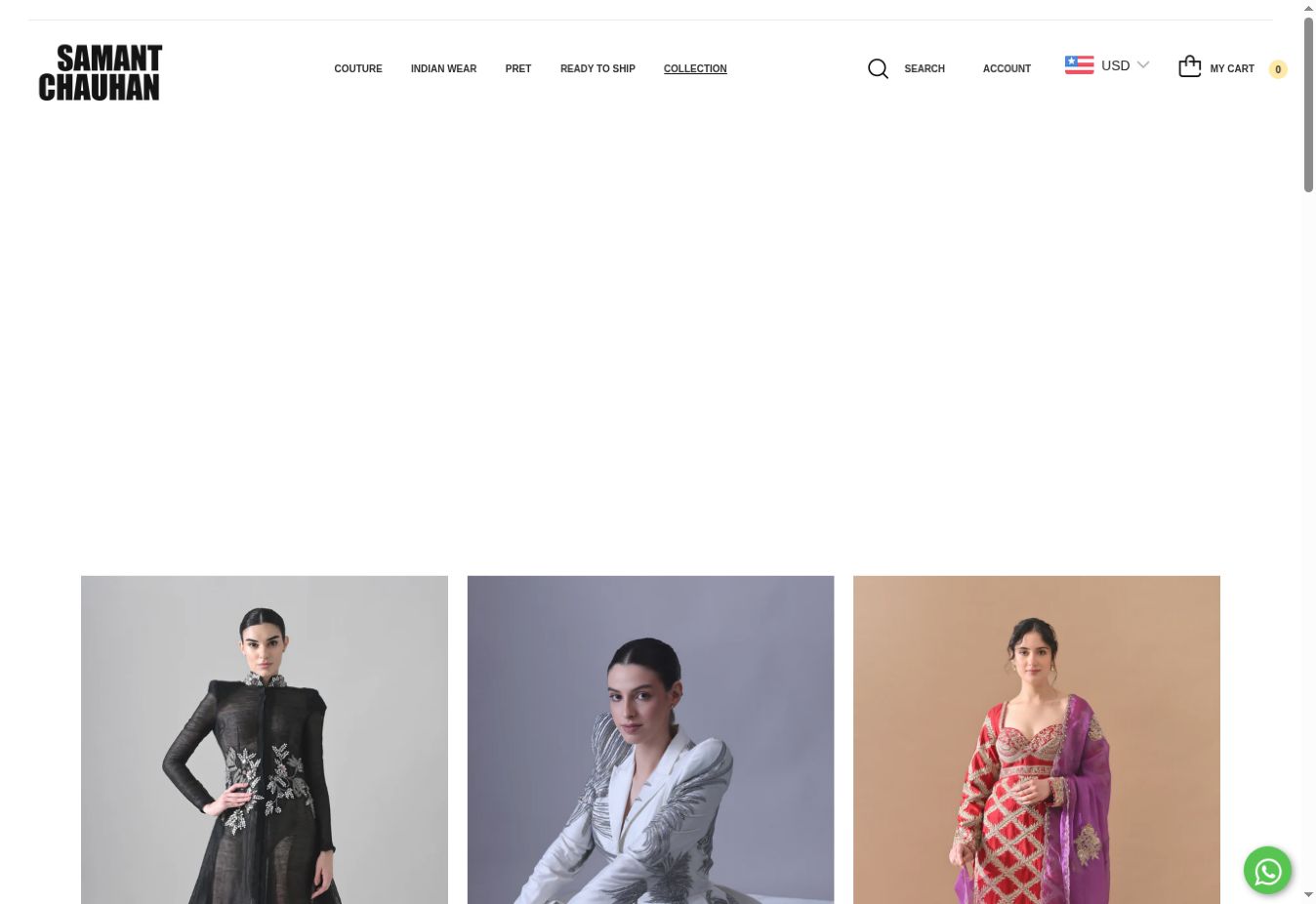
For couture designer Samant Chauhan, we built Shopify layouts around collection photography and runway stories, with categories and product details kept visible on mobile. The useful question for another store is: when someone likes a look, can they find the garment without starting their search again?
A BRIEF YOU CAN SEND
Give two agencies the same problem to quote.
- Where: Our collection URL is ___. The product and option to test are ___.
- What breaks: On a phone, a shopper trying to ___ gets stuck at ___. We have seen this in ___.
- What must stay: Keep these campaign URLs, apps, fulfilment rules and team editing tasks working: ___.
- What counts as fixed: Before launch, show us ___ in a preview. Include who will check the live result and any costs outside the quote.
Ask each agency to separate fixing the current theme, buying or licensing another theme, and rebuilding templates. Then compare what each proposal actually includes. A lower quote for one product template is not a comparable price for restructuring an entire catalogue.